
Is Your Website Working as Hard as You Are?
Your website is on the clock 24/7, working even when you're not. It never calls in sick, takes a vacation, or fails to greet a visitor. But how can you tell whether it's getting the job done?
An effective B2B website serves many functions. It introduces your brand, communicates your value, generates leads—the list goes on. User experience, performance, accessibility, and discoverability all play an important role in this process, helping you impress and engage prospects at every touchpoint.
To ensure your website is making the desired impact, it's important to understand how the average user perceives and engages with the experience you've provided. These four questions can help you capture and interpret the data you need so that you can understand what's working, what isn't, and where improvements are most needed.
What are people doing on my website?
You probably know how many people visited your site last month. But do you know what they did when they got there? That's where user experience comes in.
User experience is the sum of how visitors interact with your site: how easy it is to navigate, how quickly they find what they need, and whether the journey feels seamless. Unlike traffic numbers, which only tell you how many people showed up, behavior data like click patterns, scroll depth, and drop-off rates can tell you where those users went, how long they stayed, and whether your site successfully led them to the desired actions.
Microsoft Clarity provides an incredibly useful window into user experience. This free analytics platform delivers a nuanced look at user behavior through heatmaps and session recordings. A heatmap is a visual tool that shows how users interact with a webpage. Heatmaps highlight where visitors click, how far they scroll, and where they spend the most time, helping you determine whether people are reaching your key pages and engaging with your calls to action.
Session recordings are anonymized replays of real user visits. They can tell you where someone paused, what caught their attention, and where they dropped off before taking action. Using these recordings, Microsoft Clarity can flag critical frustration signals such as rage clicks and dead clicks, pointing you toward the moments where user experience breaks down.
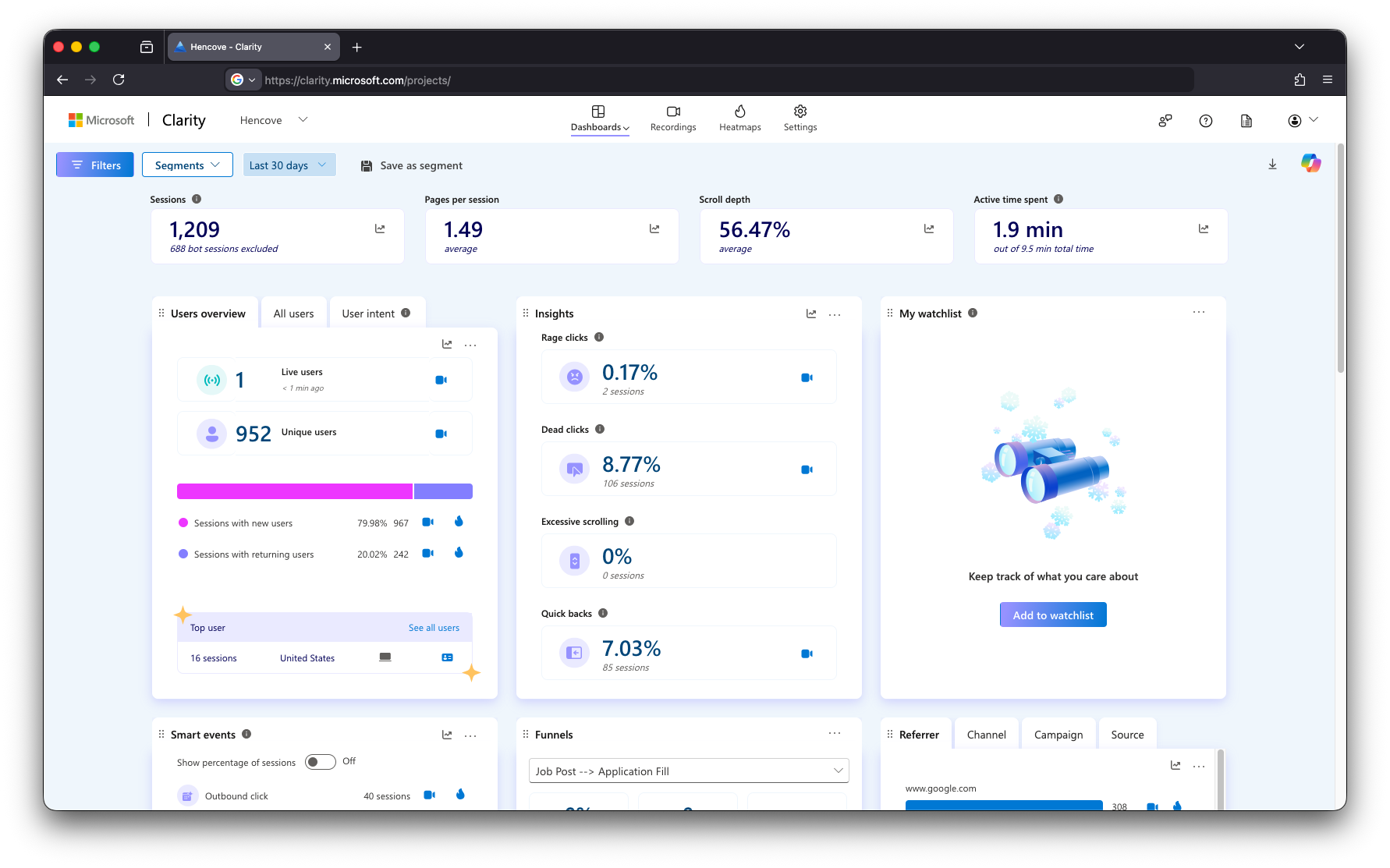
Our advice: Install Microsoft Clarity on your website. Setup takes less than 15 minutes. Most website platforms are supported, and for custom-built sites, setup is as simple as adding a small tracking script to your site's header, similar to how Google Analytics works. Once it's running, the behavioral data it surfaces will help you design more intentional user experiences.
Is my site fast enough?
From the moment a visitor clicks, engagement can be won or lost before they read a single word. In other words, how fast your content loads sets the tone for every behavior that follows.
When websites take too long to load, visitors are quick to move on. In fact, nearly 50% of users expect load times of two seconds or less. Reach three seconds, and customer satisfaction can drop roughly 16%. Google takes note of suboptimal site performance. Page speed is a ranking signal, meaning a faster site helps more of the right people find you in the first place. The benchmark to aim for is under two seconds on desktop and under three seconds on mobile. In both cases, under one second is considered excellent.
Tools such as Google Lighthouse, Google PageSpeed Insights, and GTmetrix analyze your site and return detailed reports with recommendations. Google's tools also measure Core Web Vitals, a set of metrics that evaluate real-world page experience across load time, visual stability, and how quickly a page becomes interactive. Rather than focusing on the score alone, which varies by platform, dig into the specific recommendations. Common culprits include oversized images, unused code, and slow server response times—issues that have straightforward fixes once identified.

Our advice: Run a speed test. Enter your URL into Google PageSpeed Insights or GTmetrix. Your report will flag what to prioritize. Quick wins like optimizing images and removing unused code are often the biggest drivers of improvement.
Can everyone use my site?
Web accessibility is one of the biggest opportunities in web performance, and even small improvements can make a meaningful difference for your visitors and your business.
Accessibility means building a site that works for everyone, including people with visual impairments, hearing loss, motor difficulties, or cognitive differences. In practice, this includes things like sufficient color contrast, descriptive alt text on images, keyboard navigability, and properly structured headings.
The standard for web accessibility is WCAG (Web Content Accessibility Guidelines), the global benchmark for inclusive design and the basis of most accessibility laws. Because noncompliance can expose businesses to legal risk, tools like WAVE and AccessiBe that measure your site against these benchmarks are important assets.
WAVE overlays visual indicators directly on your site, flagging issues in real time. Available as both a Chrome extension and a free web-based tool, it can test any page, including ones behind a login. Beyond flagging errors, WAVE also highlights what's already working well, giving you a balanced picture of where things stand rather than merely a list of problems to fix.
AccessiBe goes deeper, offering automated monitoring and remediation support to help you meet WCAG standards. It separates the quick fixes from the bigger lifts, handling straightforward issues automatically and flagging larger considerations for your team to review.
Both tools explain not just what needs to change but why it matters, making it easier to prioritize and fix.

Our advice: Start with a WAVE audit. It frequently turns up small, low-lift improvements that make a meaningful difference for all your visitors. If you want ongoing monitoring to stay WCAG-compliant over time, AccessiBe is a great next step.
Can people find my site?
A fast, accessible, well-designed website earns its full potential when the right people can find it. Search visibility is what makes that possible.
Discoverability is how well your site performs in search. SEO, or search engine optimization, is the practice of improving your site's visibility by optimizing certain factors for search engines like Google. To generate search results, Google uses software called web crawlers to scan and index your pages. When users submit a query, Google ranks and serves results in order of relevance to the search terms. A site with strong SEO appears closer to the first page of Google search results and may be highlighted in an AI-powered search response at the top of the page. Understanding which pages are performing, which have room to grow, and whether your site is being properly crawled gives you a clear picture of your organic opportunity.
Google Search Console is a free tool that gives you direct insight into how your site appears in Google search. Once set up, it shows you which search terms are bringing people to your site, how often your pages appear in results, click-through rates, and any technical issues Google has flagged. It also surfaces indexing insights, showing you which pages Google is crawling and whether anything needs attention. Pairing Search Console with Google Analytics gives you a fuller picture of how search traffic behaves on your site.
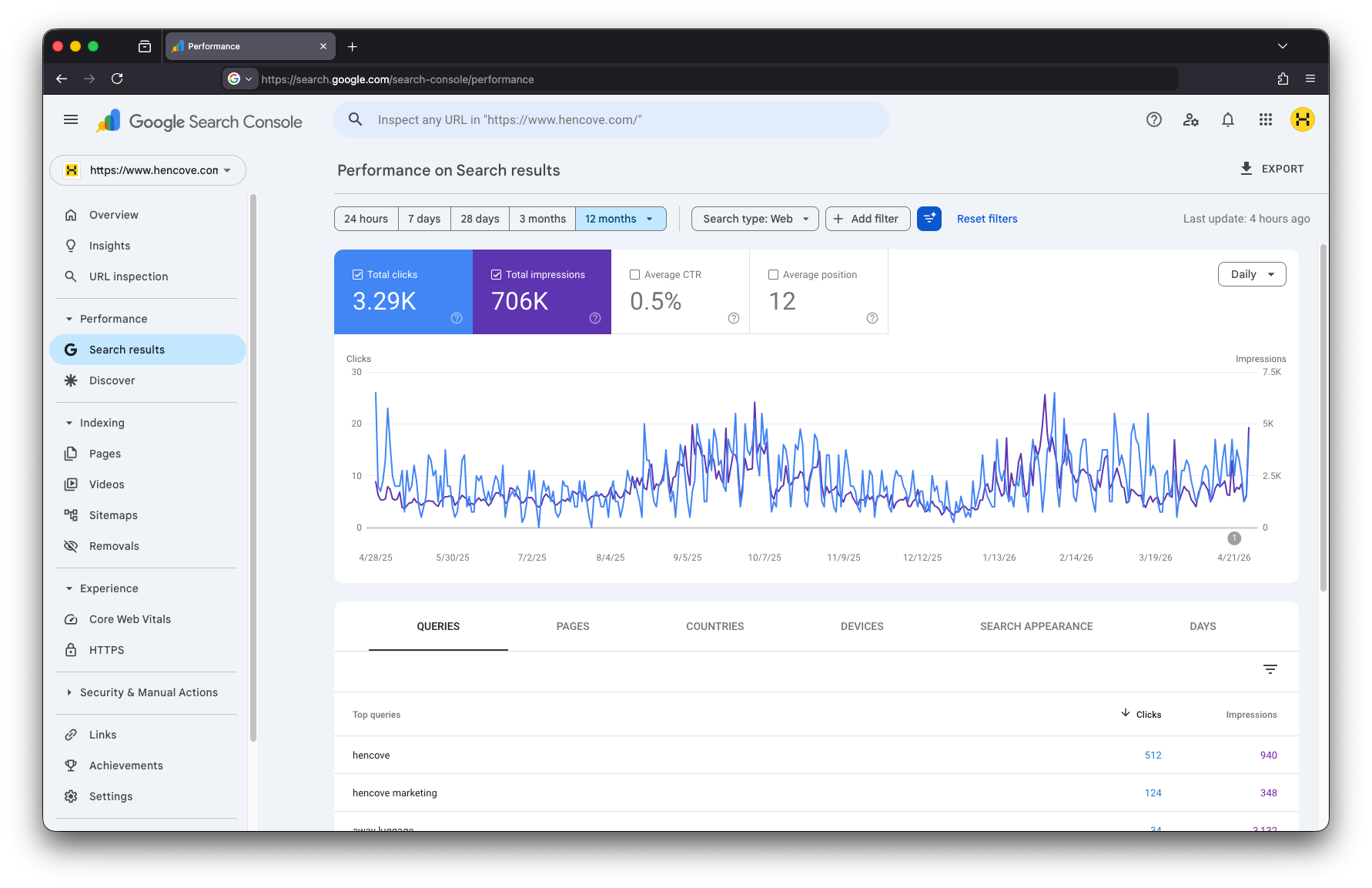
Our advice: If you haven't already, set up Google Search Console and submit your sitemap. From there, regularly check your Coverage Report to identify any indexing issues, and consult your Performance Report to see which search terms are driving traffic and where your pages are ranking. While increasing visibility on search engine results pages is certainly important, we also recommend focusing on Google's EEAT framework and building content that reflects your brand's experience, expertise, authoritativeness, and trustworthiness.
Where to Go from Here
Optimizing your website is an ongoing process that requires continuous focus on the right areas. By utilizing trusted tools that provide important data about how and where your website shows up for users, you can unlock the insights needed to make meaningful improvements.
Looking to improve your website but not sure where to start?